

Go to Windows platform Display platforms icon
Go to Windows platform Go to Mac platform Go to Android platform Go to iOS platform
GameSir Connect icon

GameSir Connect

1.13.2
5 2 reviews
9.2 k downloads
security security

Switch up the configuration of your GameSir controllers

Advertisement
Remove ads and more with Turbo
Advertisement
Remove ads and more with Turbo
Carlos Martínez icon
Reviewed by
Carlos Martínez
Content Team Lead
Carlos Martínez is part of Uptodown's in-house Editorial Team. Translated by Uptodown Localization Team

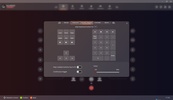
GameSir Connect is an official GameSir branded program which you can use to get the most out of your controller on PC. This software is compatible with any of the manufacturer's main models, including Tarantula Pro, Cyclone 2, Super Nova, Nova 2 Lite and T3 Lite. So, without having to resort to other more complex options, you can update the firmware, create custom profiles and fine-tune the gaming experience with great ease.

Easily update the firmware of your GameSir controller

Tapping the arrow icon at the top of the interface makes checking for new firmware updates for your controller a breeze. If there are any updates available, simply connect your device to your PC and it will start installing each new update in no time to keep your drivers up to date.

Advertisement
Remove ads and more with Turbo

Advanced profile customization

If you are looking to adjust any aspect of your controller to define a profile that meets your needs, GameSir Connect allows you to create up to three custom profiles. This gives you total freedom to map buttons as desired, adjust the sensitivity of both the joystick and the triggers and adapt the vibration levels to enjoy an outstanding gaming experience.

Download GameSir Connect for Windows and make the most of this GameSir software to improve your performance when playing your favorite titles on PC. However, this program will not allow you to configure the Nova Lite controller.

Information about GameSir Connect 1.13.2

Basic information

Developer Guangzhou Chicken Run Network Technology Co.,Ltd.
Category Video Games
Rating All ages
Languages English

Distribution model

Pricing Free
License Proprietary
Copyright © 2026 Guangzhou Chicken Run Network Technology Co.,Ltd.
Why is this app published on Uptodown? (More information)

Security and privacy

Required permissions Not applicable
See security and antivirus report

Download info

Downloads 9,178
Date Jun 24, 2026
File type EXE
Size 1.25 MB
SHA256 4e12de70de143b35a675b3568955ade3022ce53d2d1cc727453929d81424ce0b
Advertisement
Remove ads and more with Turbo

Older versions

exe 1.6.8 Nov 10, 2025
exe 1.5.6 Jul 4, 2025

Rate this App

Review the app
GameSir Connect icon

Rating

5.0
5
4
3
2
1
2 reviews

Comments

There are no opinions about GameSir Connect yet. Be the first! Comment

Advertisement
Remove ads and more with Turbo
Scratch icon
Learn to program by creating small educational projects
Unity icon
The definitive tool for creating video games
M.U.G.E.N icon
The basis to create your own fighting games
Aseprite icon
Create pixel art animations
RPG Maker icon
The creation of whole fanatasy worlds is in your hands
Unreal Engine icon
A powerful and professional tool for creating video games
Godot Engine icon
Comprehensive open-source suite for game development
Algodoo icon
Have fun creating, inventing and playing with physics
PkgEditor icon
Edit PS4 files in PKG, SFO or PFS format
Microsoft Access icon
Create and manage databases in Windows
Android Studio icon
The best environment for developing Android apps
Visual C++ Redistributable Runtime All-in-One icon
Install the latest version of Visual C++ Redistributable
Dev-C++ icon
Development environment for C and C++
Microsoft Visual C++ Redistributable icon
Component required to run Visual C++ applications
Microsoft Visio icon
Transform data into visual diagrams
Python icon
Accessible multi-paradigmatic programming language